Real estate and developmentFinish and layout selection
VR walkthrough module
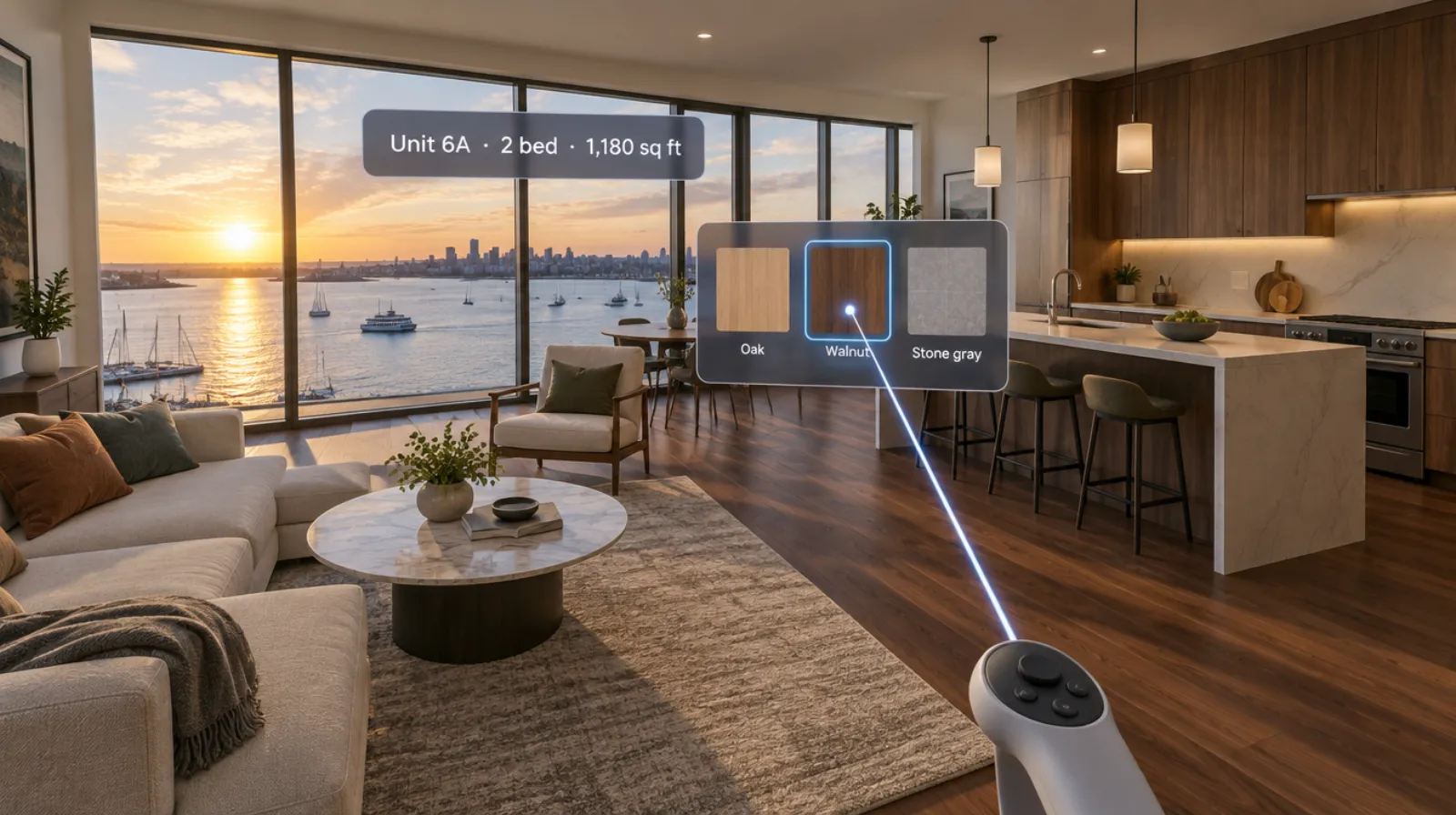
Pick the floor while standing on it.
Buyers switch flooring, cabinets, countertops, and layout options in the room itself, and see the price change. Their selections are saved for the sales team and the builder.
- Every visit recorded and summarized for your sales team
- Runs on Meta Quest headsets, managed from the Bubbler Hub
- Built from your drawings and finishes
Finish and layout selection
- 01Flooring
- 02Kitchen
- 03Bathrooms
- 04Layout options
- 05Save and send
Signs you need this
Signs your sales process needs it
Selections take several visits
Buyers can’t decide from samples on a table.
Upgrades are undersold
Buyers don’t see the difference an upgrade makes.
Selections get lost
Choices made on paper are entered wrong.
Layout options confuse buyers
Alternate plans are hard to picture.
Late changes cost money
Buyers change their minds after seeing the finished unit.
What the module includes
5 chapters, in the order the work happens.
Visitors move through the experience at their own pace, with a sales agent alongside if you want one.
- 01
Flooring
Switch flooring options in each room.
- 02
Kitchen
Change cabinets, counters, and fixtures.
- 03
Bathrooms
Change tile and fixtures.
- 04
Layout options
Switch between alternate plans.
- 05
Save and send
Save the selection and send it to sales.
What you learn
Every visit tells you something.
- Selections
- Each option chosen and saved.
- Upgrades
- Upgrades viewed and chosen.
- Comparisons
- Options compared before deciding.
- Summary
- A selection sheet for the buyer and builder.
Built around your project
Your building, not a template.
- Your finish packages and pricing
- Your layout options
- Your selection sheet
- Your supplier materials
Your team reviews the model before it is shown to buyers.
- 01
Live view
Your sales agent sees what the buyer sees in the headset on a tablet, so they can talk them through it.
- 02
Walkthrough record
The units, rooms, and views each visitor spent time in, and the options they chose.
- 03
Visitor history
Every visit for each prospect, so a second tour picks up where the first one ended.
- 04
Project dashboard
The most-visited units, the most-chosen finishes, and how walkthroughs turn into reservations.
- 05
Reports and exports
A follow-up summary per visitor and data files for your CRM. Design review notes export for your architect.
Questions
About this module.
Yes, if you want it to. Prices are part of the configuration we set up with you.
See finish and layout selection in a headset.
Book a demo and we’ll walk you through the module, show you what the records look like, and talk about adapting it to your team.